The Complete AI Operating System That Thinks, Builds & Creates Alongside You & Runs Your Entire Life & Business
The complete done-for-you system that helps creators centralize everything they think, read, and build into an AI Second Brain that handles the busywork and operates their whole creative business from one place they fully own. (Without endless maintenance or losing their unique voice)
✍️ In this page...
I'll reveal how to build a Sovereign AI Second Brain that maintains itself, centralizes everything you've ever thought, read, and built...
And gives an AI agent instant access to all of it, so you can think, create, and build at a speed you've never experienced before.
A system that never dies, an AI that never resets and that will allow you to never build anything from scratch.
A single, unified system where your knowledge, your AI, and all the tools that power your business and your life are finally connected and working together.
And all of it stays yours.
Your knowledge lives in plain text files that you own. The AI is just a layer you plug on top of it, so you can swap it for any model you want and never get locked in.
What you're really building here is an extension of yourself.
A version of you that holds everything you know and keeps thinking and building right beside you. You write one line of direction and it builds on it. You think out loud and it captures the idea and connects it for you.
But before we get there...
You've probably already tried to build a system like this yourself. Maybe you built a second brain to hold everything in one place. Maybe you brought in an AI to think and write with you.
❌ Either way, you've likely run into the same problems:
- 📑 Your notes are scattered across five different apps. Apple Notes, Google Docs, a browser full of open tabs, highlights you saved and never opened again. You captured everything, and you can retrieve almost none of it the moment you actually need it.
- 🧠 You built a second brain to finally hold everything in one place. Then it slowly died under its own maintenance. There were too many tags to clean and too many notes to refile, and the system that made perfect sense in month one felt like a second job by month three.
- 😭 You spent a full weekend rebuilding a fresh system from scratch. Ninety days later it was a mess again. And part of you knew it would be, even while you were doing it.
- 🤦♂️ You re-explain your entire context at the start of every AI session. Who you are, what you're building, what you already tried, what you decided last week. You do it every single time, and nothing you said before is ever there waiting for you.
- 🤥 Your AI outputs never sound like you. A tool that was supposed to save you hours ends up costing you just as many, because turning bad output into good output is still work. Slow, frustrating work you didn't sign up for.
- 📉 You run a second brain and an AI at the same time, so you spend your day copy-pasting between them. Your AI output goes into your notes, your notes go back into your AI, and the bridging never stops. You wanted to create, and instead you became the machine that moves text from one window to another. Every minute of it is stolen from the thinking and building you actually love.
- 🤖 You tried to give your AI a memory. Projects, custom instructions, saved prompts, the built-in memory features. It helped a little, but it only ever knew a summary of you. The depth of how you actually think and who you actually are stayed out of its reach.
- ⏱️ Your past work never informs your future work. Nothing compounds and nothing carries forward. The insight you had on Monday is gone by Tuesday, and you start the next session with nothing to build on.
- 😑 Your content is starting to sound like everyone else's AI content. Polished and capable, and completely interchangeable with everyone else's. The texture of how you think and the examples only you would use are slowly disappearing from what you publish.
- 🔐 Everything you've built sits inside one company's tool, in a format you can't fully export, running on a model you don't control. Your notes and your whole thinking life are locked inside something that could raise its price or change its model tomorrow. You don't own your system. You're renting it.
🧑💻 And you've probably already tried plenty of solutions to fix all of this:
- ⚒️ Switching tools. You moved from Notion to Apple Notes to Obsidian to whatever everyone was recommending next. Every switch felt like a fresh start, and none of them ever became a system that lasted.
- ⚙️ Starting over with a clean system. You deleted everything and rebuilt from a blank slate. The relief lasted a few weeks, then the same mess slowly crept back in.
- 🗂️ A pre-built vault or the PARA method. You bought the beautiful architecture with everything already structured and connected. But the maintenance still landed on you, and the system that promised to fix everything broke like all the ones before it.
- 🤖 AI to think and write. You used Claude or ChatGPT, then tried to give it memory with Projects and custom instructions. It still reset between sessions, or only ever knew a thin summary of you, so the results never really felt like yours.
You tried all of it, and you're still stuck.
Still wondering how anyone with a real life keeps up with every AI change and keeps a second brain alive without burning out.
🧩 And for years, this gap could not be closed.
Your AI lived inside a chat window, sealed off from everything you knew.
It could not step into your second brain to navigate it or build on what was already there, and it could not reach into your tools to actually do anything in your world. So you stayed the bridge between all of it, and the ceiling never moved.
But that's no longer true.
AI agents can now live inside your second brain. They move through your notes and build on everything you've ever collected, and they keep the whole system maintained so it never falls apart on you again. And those same agents reach outward into your tools. They schedule your content, manage your calendar, build pages on your website, and run the workflows your business depends on. One agent, pointed inward at your knowledge and outward at your world.
This is the missing piece that changes everything.
Your second brain, your AI, and the tools that run your business stop being three separate things you juggle. They become one system you control from a single place. You stop copy-pasting between windows, and you stop re-explaining yourself every time you sit down. The maintenance is handled for you.
And what you end up with is the thing you were reaching for all along.
A true extension of yourself. An intelligence that knows everything you know and acts in the world on your behalf, that thinks and builds alongside you instead of waiting to be told what to do. You think out loud and it captures the idea. You point it at a goal and it starts to move. The distance between what you imagine and what actually exists collapses to almost nothing.
This is a complete shift in how you work and in what one person can build alone.
🌞 Here's what that looks like on an ordinary day:
You stop operating your tools one by one.
You just talk to your system, and it handles the work across all of them.
💡 You have an idea for a newsletter.
You say it out loud in a sentence or two. The agent pulls the notes you wrote on the topic months ago, drafts the whole piece in your voice, and saves it into your vault ready to schedule. You read it over and it already sounds like you, because it was built from your own thinking.
📖 You finish a book with three pages of messy thoughts.
You hand them to the agent. It turns them into clean notes, files each one where it belongs, and links them to the related ideas already in your vault. You never touch a folder or a tag.
✍️ You point at a note from last week and ask for a blog article.
The agent writes the full piece from what you already captured and publishes it straight to your website. An afternoon of work happens while you make coffee.
📂 You ask where one of your projects stands.
The agent reads everything connected to it, tells you exactly where you left off, and adds the next step to your task list. Nothing slipped, because nothing ever left the system.
Every one of those used to be a separate chore in a separate app.
Now it's one conversation in one place. None of it takes maintenance from you anymore, and the agent already knows everything you know before you say a word. Your notes, your content, your projects, and your whole business run from the same system, and you run all of it by talking to the extension of yourself you built.
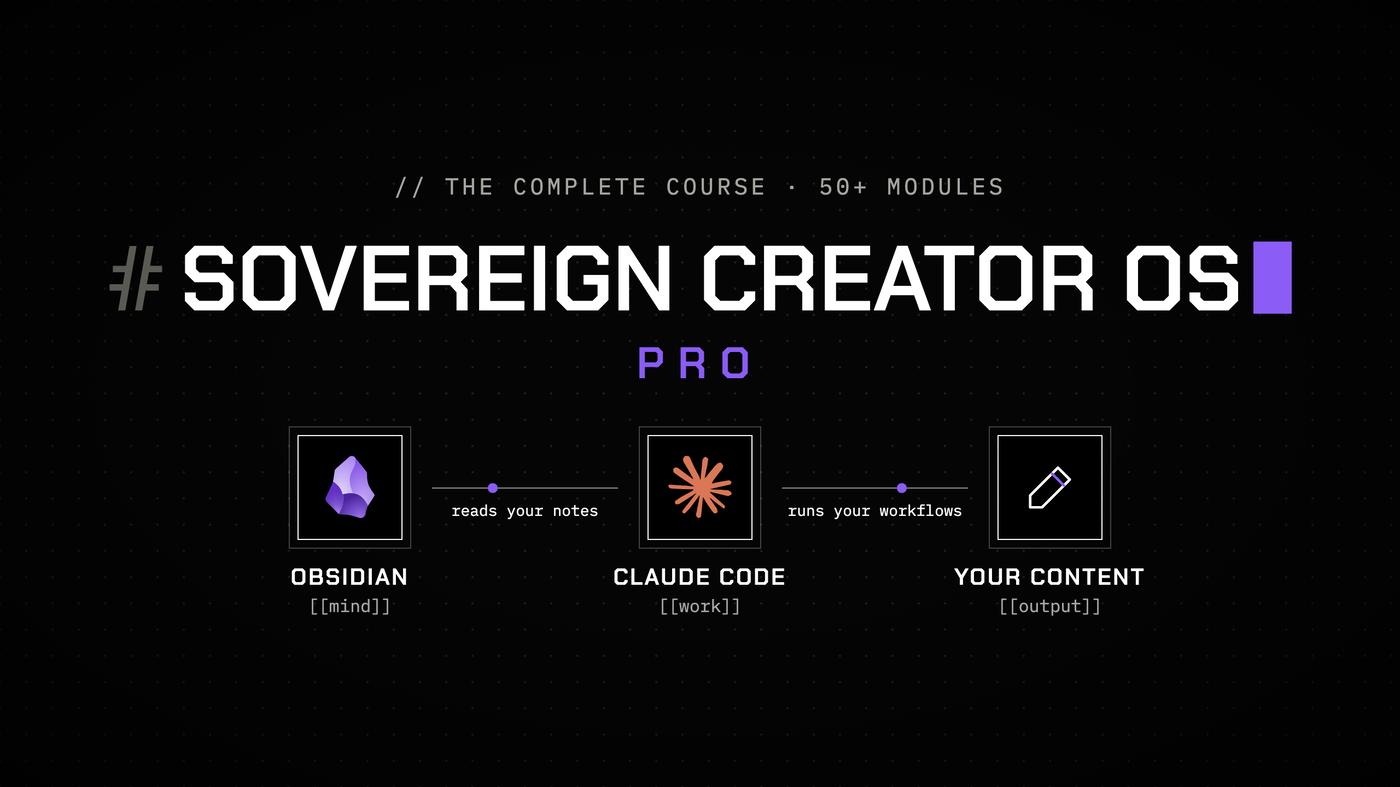
🧠 That's why I've created Sovereign Creator OS Pro.
It's the first complete system that builds your second brain and embeds the AI operating layer at the same time...
So by the time you're done, you have a living second brain with your AI already working inside it.
This system was built for a specific kind of person.
Creators, solopreneurs, and knowledge workers who value thinking deeply and putting their own ideas into words. People who want to build perspectives that are genuinely theirs, and a business and a life that line up with who they actually are.
Here's why it's called Sovereign.
Everything you build belongs to you. Your notes live as plain Markdown files on your own machine, in a format no company can lock away or take from you. The second brain is the foundation, and it works completely on its own. You can think and develop your ideas inside it without any AI at all, and many of the workflows are built for exactly that.
The AI sits on top as a second layer.
It amplifies the foundation you already own and handles the maintenance you used to do by hand. It helps you build faster from your own knowledge, in your own voice. And because it's just a layer, you can run it on any model or agent you want and swap it the day a better one comes out. You never hand your thinking or your data to a single company, and you're never locked into one tool.
This matters, because the goal here was never to automate you out of your own work.
Push AI too far, and it strips away the authenticity and the personal thinking that make your work yours. Here, you stay the thinker and the one with the perspective, and the system gives you an extension of yourself that amplifies who you already are.
💡 Here's what you get inside Sovereign Creator OS Pro:
- 📹 50+ in-depth modules that walk you through everything, from setting up your vault architecture to connecting Claude agents to your tools. Every step is explained in order, with nothing assumed and nothing skipped.
- 📂 A pre-built vault with over 80 notes already inside it, plus the full architecture in place. You open a system that already works on day one, and then you make it your own.
- 📝 38 ready-to-use templates and 30 dynamic Bases that cover every kind of note and view you'll ever need. Newsletters, YouTube videos, projects, clients, reviews, OKRs, and more. Every note starts structured and connected the moment you create it, and every Base organizes your vault in real time on its own.
- 🏛️ An architecture built to scale, with 30 categories and 21 subjects already wired in as your navigation layer. The more you use it, the better it works. Notes connect on their own and Claude finds anything in seconds, because the whole thing was built from the ground up to remove the maintenance cost.
- 🤖 A fully integrated AI agent setup with 10 ready-made AI prompts included, already configured to maintain your vault and create content from your own knowledge. It runs from day one, so you plug it into your life instead of building it yourself.
- ⚙️ 12 complete workflows and SOPs, already written and connected to your AI Agent, covering every part of how you think and operate. Content creation. Journaling. Task and project management. Goal setting. Inbox Process. Vault Management. Note-taking with the Zettelkasten method. And more. You never have to design the system yourself.
✍️ What's Exactly Inside The Course
The Sovereign AI Second Brain Course is 50+ modules across 6 sections...
Each one building on the last so the system comes together a piece at a time and you always know exactly what to do next. Every module covers a single topic and ends with concrete action steps, so you build the real system as you watch instead of just collecting information. Here's everything you'll learn, section by section.
⚙️ Section 1 — Setting Up Your Second Brain
Before you can build anything, you need a foundation that holds.
Section 1 gets your entire system running from the very first module. You install the pre-built vault, configure Obsidian with the right settings and plugins, switch on sync across every device, and get your first capture workflows live.
By the end of this section you've skipped the blank-page setup that traps most people for weeks.
You open a system that already works, with the architecture and templates already in place, and you know exactly how to use it.
🧠 Section 2 — Mastering The Obsidian App
Most people who struggle with Obsidian don't struggle because it's complicated.
They struggle because they never understood how it actually works.
Section 2 fixes that.
You'll learn every feature of the tool that matters for this system with a focused walkthrough of the exact mechanics the vault is built on.
By the end, you won't just be using Obsidian.
You'll understand why it's designed the way it is, what each feature does inside your system, and how to move through your vault with full confidence.
🏛️ Section 3 — Mastering The Sovereign Creator OS Vault
Section 3 is where you go from using the vault to understanding it.
You'll learn the architecture behind the system: why it's built the way it is, how every component fits together, and why this specific structure is what allows the vault to stay alive and organized without any manual maintenance.
This is the section that answers the question every second brain builder eventually asks:
Why does my system keep breaking? By the end, you'll know exactly why this one doesn't, and how every design decision was made to prevent it.
✍️ Section 4 — All The Manual Workflows Inside The Vault
This is where the system becomes yours.
Section 4 covers every workflow you'll use daily: how to capture anything from anywhere, how to take smart notes that actually compound over time, how to run your content creation from your vault, how to manage your projects and products, and how to review your progress and set goals with a system that's already built in.
By the end of this section, every part of how you think, create, and operate runs through a single place, and nothing falls through the cracks.
🤖 Section 5 — Mastering Everything About AI Agents
This is the section that changes everything.
Sections 1 through 4 gave you a fully functional second brain: a vault that works, stays organized, and compounds over time.
Section 5 embeds an AI agent inside it.
You'll learn how Claude Code works from first principles, how to install and configure it, and how to give it a permanent understanding of who you are, what you're building, and how you work so it never starts from zero again. Taught as evergreen fundamentals so everything you learn here stays relevant no matter how the tools evolve.
⚙️ Section 6 — AI Agents Workflows
This is where the full system runs.
You have the vault. You have the agent. Section 6 is where you learn to use them together, for every workflow that matters in your creative and business life. You'll build SOPs and skills that turn complex multi-step processes into single commands, manage your vault with Claude, process years of old notes in one session, and create content at a speed that would have felt impossible before.
By the end of this section, you're not using a second brain and an AI.
You're operating a unified system that handles what used to take hours in minutes.
🎁 Bonuses
[BONUS 1] — The Sovereign Creator OS Pro Pre-Built Vault
The complete Sovereign Creator OS vault, with over 80 notes already inside it and the full organisational architecture in place. You open a working system on day one and make it your own.
[BONUS 2] — 30 Dynamic Bases
Thirty ready-made Bases that organize your vault in real time. Each one surfaces exactly the notes you need, from your projects and clients to your content and reviews, with no manual sorting from you.
[BONUS 3] — 38 Templates
A template for every note type you'll ever create. Newsletters, YouTube videos, project containers, client notes, daily reviews, OKRs, and more. Every note starts structured and connected the moment you make it.
[BONUS 4] — 12 SOPs
Every core workflow already written as a step-by-step SOP and ready to hand to Claude. You run the workflow instead of designing it.
[BONUS 5] — 8 AI Prompts
Eight ready-made prompts for the work you do most, so your agent produces exactly what you need without you engineering the instructions each time.
[BONUS 6] — 29 Reference Guides
A set of concise, permanent references you'll return to repeatedly — the pinned knowledge layer of the vault.
[BONUS 7] — 11 Content Templates
Ready-made templates and frameworks for every type of content you create. Every piece starts structured before you write a word.
[BONUS 8] — Lifetime Updates
Every future update to the course, the vault, and the workflows, included for life. The tools will keep evolving, and your system evolves with them at no extra cost.
[BONUS 9] — Your AI Coach On Every Lesson
An AI coach built into the course that knows every module and the whole system. Stuck on a step, or want to adapt the vault to how you work? Ask it directly, right inside the lesson you're on, and get an answer on the spot. You're never stuck alone on something.
🧑💻 Here's what happens after you join Sovereign Creator OS Pro:
Day 1. Your vault is set up and you're already working inside it. You're learning Obsidian and running the second brain by hand, with no AI involved yet. You can already feel how the system holds together on its own, and for the first time your notes have one home that makes sense.
Day 7. You've spent the week thinking and writing inside a system that finally works, and it already beats anything you built before. Now you connect your AI agent to it. It starts moving through your vault and taking real action inside the system you already understand. The foundation was yours first. The AI just made it come alive.
Day 30. Your vault has real depth, and your agent now has full context on everything you know: your projects, your voice, your history, your past work. You stop explaining yourself and just think out loud while it builds with you. You move faster than you ever have, and the line between your mind and your system starts to blur.
Day 90. The only thing you really do anymore is talk to your agent, and the work gets handled. You watch ideas turn into finished work in minutes, and it still sounds like you because it was built from everything you know. You're operating in a completely different category than you were three months ago, and you catch yourself wondering how you ever worked for so long without this. The tools have faded into the background, and what's left is you thinking while your extension of yourself does the building. You only work manually on the tasks that you genuinely love, and your agent focuses on the rest.
🤝 How To Join Sovereign Creator OS Pro
The Sovereign AI Second Brain Course helps you build an asset that keeps working for you.
Every note you add and every project you run makes it more valuable than the day before, and because you own your files and the AI is only a layer on top, no company can shut it down or make it obsolete.
It runs your whole life and business from one place, and once it's in place, the way you think and build is permanently different. This is the last knowledge system you will ever need to build.
or 2 payments of $500
What's included
- 50+ in-depth modules from vault architecture to connecting Claude agents to your tools, every step in order
- Pre-built vault with 80+ notes and the full architecture in place: a working system on day one
- 38 ready-to-use templates and 30 dynamic Bases that keep every note structured and organized
- Architecture built to scale: 30 categories and 21 subjects wired in as your navigation layer
- AI agent setup with ready-made AI prompts, configured to maintain your vault and create in your voice
- 12 complete workflows and SOPs connected to your AI agent (content, journaling, tasks, goals, inbox)
- 29 reference guides and 11 content templates for newsletters, YouTube, tweets, emails and scripts
- Lifetime updates to the course, the vault and the workflows
- An AI coach on every lesson: ask it any question about the course or your vault and get an answer on the spot
Sold by Noah
What's inside
1Introduction1 module
- 1Introduction
2Section 1: Setup5 modules
- 1Install Obsidian + Download and Open the Vault
- 2Configure Essential Settings
- 3Community Plugins + Minimal Theme
- 4Sync + Vault Backup
- 5Setting Up Voice Dictation
3Section 2: Understanding Obsidian8 modules
- 1What Is Obsidian
- 2Notes and Wikilinks
- 3Navigating the Vault: Quick Switcher and Commands
- 4Properties and Bases
- 5Templates
- 6Daily Notes
- 7Graph View
- 8Obsidian Mobile App + Widgets
4Section 3: The Vault7 modules
- 1Overview: the 5 Folders and the Flat Philosophy
- 2The Categories System and Dynamic Links
- 3Subjects: the Optional Layer
- 4Container Notes
- 5Properties: a Practical Overview
- 6Base Files in the Vault
- 7Templates in the Vault
5Section 4: Vault Workflows11 modules
- 1Customizing the Vault to Your Workflow
- 2Creating a Note from Scratch
- 3Using and Managing Bases
- 4Obsidian Web Clipper
- 5Mobile Capture
- 6Note-taking: Permanent Notes and Literature Notes
- 7Content Creation: Newsletters
- 8Content Creation: YouTube
- 9Content Creation: Tweets and Substack Notes
- 10Managing Projects and Products
- 11Reviews and OKRs
6Section 5: AI Agents (Claude Code)8 modules
- 1What Are AI Agents: Claude Code and the Ecosystem
- 2Installation and First Steps
- 3The CLAUDE.md File
- 4Memory: MEMORY.md
- 5Skills: Using and Creating
- 6MCPs: Understanding and Installing
- 7Plugins: Extending Your Setup
- 8Context Management: Keeping Your Sessions Efficient
7Section 6: Workflows with AI Agents9 modules
- 1Creating SOPs and Skills: the Workflow Foundation
- 2Vault Management: Adding Categories, Subjects and Templates
- 3Managing Context for Big Projects: Session Logs
- 4Editing Your Vault with Claude
- 5Inbox Processing and Migrating Your Old System
- 6Creating a Newsletter with Claude
- 7Preparing a YouTube Video with Claude
- 8Managing Tweets and Substack Notes with Claude
- 9Managing Projects and Products with Claude
Plus 1 file, all inside the product.
What this is
This is a course you can talk to.
The lessons are here, and you can read them like any course. But the AI has read all of them too. When something doesn't click, ask. When you're not sure how it applies to you, ask. It answers from Noah's material, not from the internet. It's like hiring Noah as a coach, without paying thousands of dollars for it.
Walk me through setting up the vault step by step

Sovereign Creator OS Pro
Good question. Here's what Noah teaches about that, and how it fits what you're doing.
This is how learning works now. You don't watch and forget. You ask, you get an answer for your situation, and you use it. That's what makes it stick.
What you can ask
- Walk me through setting up the vault step by step
- Explain categories vs subjects vs container notes
- Help me install Claude Code and write my CLAUDE.md
- How do I turn my vault workflow into a Claude Code skill?
Use it in your own AI app
Buy once, then open Sovereign Creator OS Pro in the AI app you already use. The instructions and knowledge come with it.
- ClaudeOne click
- ChatGPTPaste once
- CursorOne click
- Claude CodeOne command
- One click connects it to Claude or Cursor. ChatGPT and Claude Code take a single paste.
- Open a chat and Sovereign Creator OS Pro is already loaded, instructions and knowledge included.
- Using it there costs nothing extra. Your app's own usage still applies.
Questions
Do I need any technical experience to follow along?
No. The course is built so anyone can follow it, with no prior Obsidian experience and no coding or terminal knowledge needed. Every module is a step-by-step walkthrough you can copy exactly. If you can open an app and follow instructions, you can build this system.
I've never used Obsidian before. Is this still for me?
That's the ideal starting point. You build the system correctly from the beginning, with no old habits or broken setups to undo first. Everything is taught from scratch, so starting fresh actually puts you ahead of someone who has to unlearn a system that never worked.
Do I need to pay for anything else on top of the course?
The course and the vault are a one-time payment. Obsidian is free, except for their paid sync plugin which is 4$ per month. (I show you a free alternative for syncing in the course) The one thing that sits outside it is your AI. To run the agent, you'll want a paid Claude plan, the same kind of subscription most people already have for ChatGPT or Claude, and the 20$ per month plan is more than enough for this course. That runs separately from the course and it's the engine behind the whole AI layer. Your second brain works fully without it, so you can build and think inside your vault long before you connect a single model.
Will this work on my computer?
Yes. The system runs on both Mac and Windows, and your vault syncs to your phone and tablet so you can capture and read from anywhere. The full setup with the AI agent connected runs on your computer.
I already have a second brain. Is this still worth it?
If your current system needs constant upkeep to stay alive, and you're still copy-pasting between your notes and your AI, then yes. What you build here is a different architecture underneath, designed so the maintenance disappears and the AI lives inside the vault instead of beside it and connects to all your tools. More than a Second Brain, that system is a complete Operating System. Most people who come in with an existing vault realize within the first section why theirs kept breaking.
Do I have to move all my old notes into this?
No, and you shouldn't try to do it all at once. You can start fresh and build forward from day one. When you're ready to bring your old notes in, I've created a dedicated workflow where Claude processes years of scattered notes and files them into your vault in a single session, instead of you moving them by hand. Your past work becomes part of the system whenever you want it to, without the manual slog.
Can't I just set this up myself?
You can connect an AI agent to an Obsidian vault in an afternoon, and that part is pretty easy. What you can't shortcut is the system itself. The architecture, the categories, the workflows and the way everything fits together took hundreds of hours to design and refine, built specifically for how creators, solopreneurs, and knowledge workers actually think and work. An AI pointed at an empty vault is just a tool. What you get here is a complete operating system that already works, so you skip the months of trial and error that stop most people from ever building a real extension of themselves.
Won't relying on AI make my work sound generic?
No, and the system is built specifically to prevent that. You stay the thinker and the one with the perspective. The AI works from your own notes and your past writing, so what it produces is built from how you already think. It sounds like you because the raw material is you. You get an extension of yourself that sharpens your voice, while generic AI content comes from a model that only ever knew a thin summary of who you are.
If the AI can read all my notes, is my private thinking safe?
This is where Sovereignty matters most. Your notes live as plain text files on your own machine, not on someone else's server. The AI is a layer you point at those files, and you decide what it can see and touch. Nothing is locked inside a company's cloud, and nothing about how you think is handed over for good. You own the files, and you own the system, and the AI only ever works on what's yours, on your terms. If you really want full privacy, I show an alternate AI Agent tool in the course where you can connect it to any AI models that have zero-day data retention, which means your notes always stay private.
Do I need to use Claude Code specifically?
No. The system works with any AI agent you prefer, whether that's Codex, Gemini, or anything else. The course uses Claude Code as the primary agent, but I also show you a tool that connects almost any model to a single open-source agent, so you're never locked in. If a better model comes out tomorrow, you switch to it and the vault and architecture stay exactly the same. You just swap the AI behind them.
What if AI tools change after I buy?
The AI section is built on evergreen principles instead of feature walkthroughs. You learn how AI Agents works and why the system is designed the way it is, so when the tools change, you'll know how to adapt. The fundamentals don't expire, and lifetime updates are included, so the course keeps pace with the tools as they evolve.
How long does it take to get the system running?
Your vault is installed and running by the end of Day 1. The first part of the course is all about your second brain, getting it set up and learning to operate it yourself with full confidence. Once that foundation is solid, you move into the AI section and connect Claude to your vault. The full build takes one to two weeks, one module at a time, so you're never overwhelmed.
Get Sovereign Creator OS Pro
$997 one time. Ready to chat the moment you sign up.

Noah